Still Using Spreadsheets for Your Rental Properties? Here’s What You’re Actually Risking

The spreadsheet that got you to Property 3 is the same one that’s slowing you down on Property 5.
That’s not a criticism. It’s just an honest observation — one that most real estate investors recognize the moment they read it. You built something real. You ran the numbers, tracked the income, logged the expenses, and made it work. The spreadsheet wasn’t a shortcut. It was discipline made visible.
But somewhere between your second acquisition and your fifth, something shifted. The tool that once felt like control started feeling like overhead. Reconciliation takes longer. Tax season feels messier. And there’s a quiet, nagging sense that the numbers might not be as clean as you need them to be when it actually counts.
That tension — between the tool that got you here and the system you actually need — is exactly what this post is about. We’re going to walk through the real risks of managing your rental portfolio on spreadsheets — not abstract theory, but the specific financial and operational consequences investors face when they stick with spreadsheets longer than they should.
The direct answer: Spreadsheets are bad for managing real estate investment finances because they rely entirely on manual data entry — which is error-prone, unscalable, and invisible to the IRS. As portfolios grow, spreadsheets create reconciliation nightmares, missed deductions, and no real-time visibility into cash flow or property performance. The cost isn’t just time — it’s real money left on the table, year after year.
But first — let’s be honest about why spreadsheets feel like the right tool in the first place.
Why Spreadsheets Feel Like the Right Tool (And Why They Once Were)
There’s nothing wrong with starting on a spreadsheet. Say that again, and mean it. Every serious investor has a spreadsheet somewhere in their history — or still open in another tab. It’s not a sign of unsophistication. It’s the natural starting point for anyone who takes their numbers seriously.
Spreadsheets are free, familiar, and infinitely flexible. When you’re managing one or two properties with a single bank account and a relatively simple expense structure, they genuinely work. You can track rent income, log expenses by category, and calculate a rough monthly net operating income in about twenty minutes. For a solo investor just getting started, that’s more than enough.
Most investors learn real estate finance on spreadsheets. The models, the deal analysis, the cash-on-cash return calculations — spreadsheets were the classroom. And when the time came to actually manage a property, the spreadsheet felt like the logical place to put the real numbers. Why learn a new system when you already know this one?
As you read more about managing finances across multiple LLCs, you’ll notice one consistent pattern: investors who struggled most weren’t the ones who started with spreadsheets — they were the ones who stayed with spreadsheets long after their portfolio outgrew them.
“A spreadsheet built for Property 1 never anticipated Property 5.”
That’s the real problem. It’s not the tool. It’s the mismatch between a static, manually operated system and a portfolio that grows in exponential complexity, not linear complexity.
Every new property doesn’t just add a new row to your spreadsheet. It adds a new rent schedule, a new set of expenses, often a new entity, new bank accounts, new vendors, new insurance policies, and new depreciation timelines. If you did a renovation, add a separate project cost tracker. If you have multiple LLCs, you’re now managing multiple spreadsheets that don’t talk to each other.
There’s also an emotional dimension worth acknowledging. Many investors have years of data inside their spreadsheets — months of careful entries, custom formulas they built over time, a system that feels familiar even when it’s straining. Leaving it feels like starting over. It isn’t, but it feels that way. That’s a real reason people stay longer than they should.
So where does it actually go wrong? Let’s get specific — because the risks are more costly than most investors realize.
The 7 Real Risks of Managing Your Rental Portfolio on Spreadsheets
This is the part most blog posts skip. They’ll tell you “spreadsheets are risky” without ever explaining the actual mechanism of the risk. Here’s the truth — grounded in data, grounded in scenarios you’ll recognize.
Risk 1: Data Entry Errors Are Inevitable — and Completely Invisible
The most dangerous thing about a spreadsheet error isn’t that it’s there. It’s that you don’t know it’s there.
Research consistently shows that the majority of spreadsheets contain errors. According to a study reviewed by Forbes, approximately 88% of spreadsheets have at least one significant error. A separate analysis published via Dartmouth’s Tuck School of Business found the number climbs to 94% when examining business spreadsheets in active use. Ray Panko, a professor of IT management at the University of Hawaii who has spent decades studying spreadsheet error rates, documented that cell-level errors occur in roughly 1–5% of all formula cells.
That might sound small. But if your main property tracking spreadsheet has 2,000 formula cells — and a realistic multi-property spreadsheet easily reaches that — a 1% error rate means 20 cells with incorrect values. And none of them will ever raise their hand.
Real-world consequences are well documented. The European Spreadsheet Risk Interest Group (EuSPRIG) has catalogued hundreds of high-stakes spreadsheet failures across industries. One of the most striking recent examples: Norway’s $1.5 trillion sovereign wealth fund disclosed it had lost approximately $92 million due to a spreadsheet calculation error related to benchmark computations. Scale that principle down — the mechanism is identical. A mistyped number, a broken formula, a cell reference pointing to the wrong row — and the wrong number just sits there, compounding quietly in your books.
For a real estate investor, the specific risks are acute. A repair expense misclassified as a capital improvement — or the reverse — can have deduction consequences that span years. A formula that stops summing correctly in one month distorts every downstream calculation. And because there’s no automated error detection in a spreadsheet, these mistakes live in your books unchallenged until your CPA catches them — or doesn’t.
Risk 2: Reconciliation Becomes a Monthly Nightmare
Ask any investor managing five or more properties on spreadsheets what the monthly close looks like. You’ll hear the same story.
It starts with pulling bank statements from three or four (or seven) different accounts. Then exporting transaction data from the property management software. Then cross-referencing each transaction against your spreadsheet tabs, manually matching deposits to rental income, flagging expenses, looking for duplicates. If a transaction shows up in two places, you have to figure out which one is right. If a payment hit the wrong account, you have to find it.
On a good month, this takes four or five hours. On a busy month — one with a renovation, a tenant turnover, or a new acquisition — it can consume an entire day. Sometimes two.
Without automated bank feeds, every transaction requires a human decision. And humans making repetitive decisions under time pressure make errors. Those errors compound. By the time you’ve done this for twelve months, you might have a year’s worth of small inaccuracies that have drifted far enough from reality to matter at tax time.
This is precisely where real estate financial management software changes everything — not by making the process easier, but by making it automatic. Transactions flow directly from your bank accounts into the platform, pre-classified and assigned to the right property. What used to take hours takes minutes, and it happens in real time, not once a month.
Risk 3: You Can’t See Across Your Portfolio in Real Time
A spreadsheet tells you what was true when it was last updated. Not what’s true right now.
This matters more than most investors realize. Real-time cash flow visibility — knowing exactly which properties are generating positive cash flow, which are running thin, and what your total portfolio position looks like at any given moment — isn’t just a reporting convenience. It’s the information you need to make good acquisition decisions.
Should you pull equity from Property 2 to fund the renovation at Property 4? You can’t answer that confidently from a spreadsheet that’s two weeks behind, built from manually entered numbers that may or may not have errors. What you need is a current, accurate picture of your financial position — by property, by entity, and across the whole portfolio.
Spreadsheets can’t give you that. By design, they show you the past. And the past, in real estate investing, has a limited shelf life.
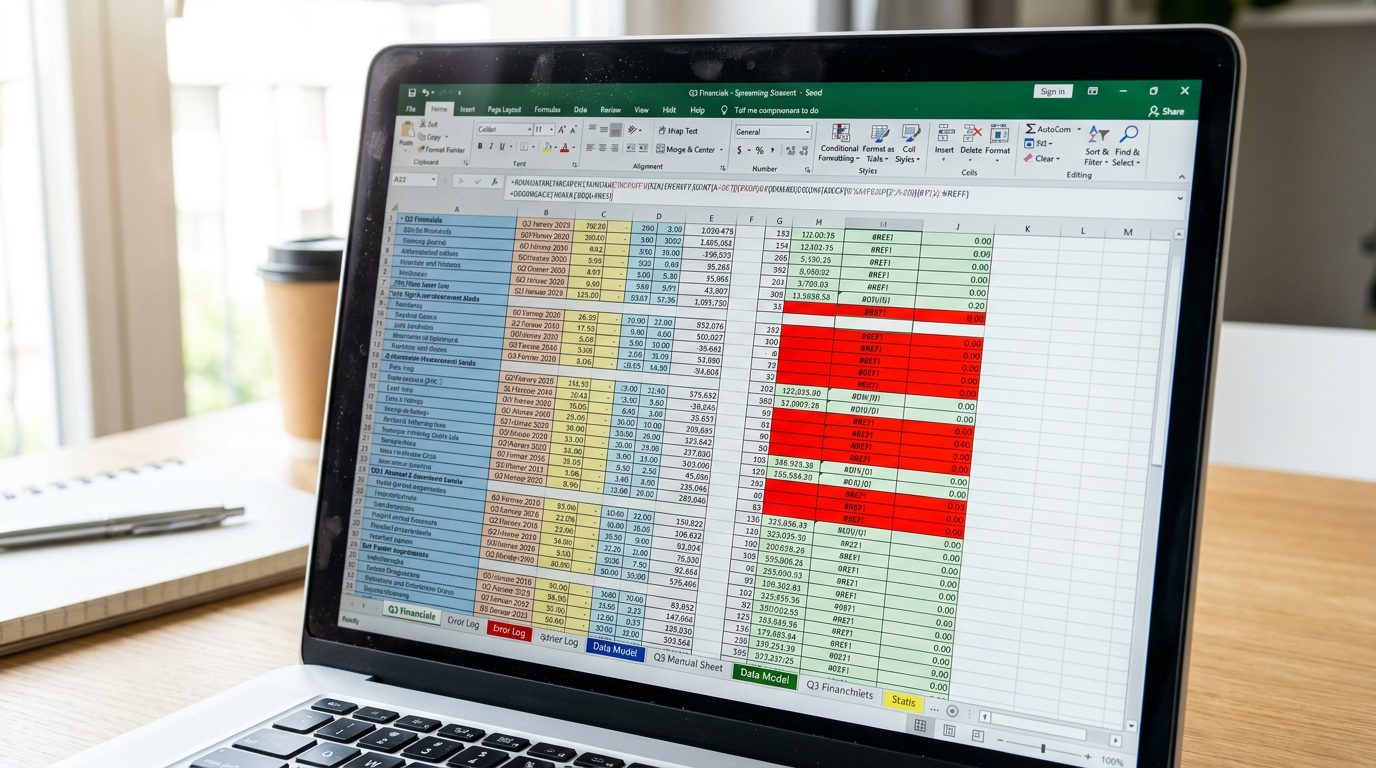
Risk 4: Tax Reporting Becomes a Year-End Scramble
Here’s the IRS’s position, stated plainly: rental property owners are required to maintain accurate, detailed records of all income, expenses, and depreciation for every property they own. IRS Publication 527 covers this in depth, and IRS guidelines on rental income recordkeeping make the expectations explicit. There’s no approved format — but the records must be defensible under scrutiny.
A spreadsheet doesn’t automatically separate deductible from non-deductible expenses. It doesn’t enforce consistent categorization. It doesn’t track depreciation by asset class — residential property (27.5 years), personal property like appliances and flooring (5 years), and land improvements like fencing (15 years) each require separate treatment that a spreadsheet simply doesn’t model automatically.
What happens in practice: February arrives. Your CPA calls. You spend the first two weeks of tax season hunting for receipts, re-sorting expenses, trying to remember which property that $1,400 charge belonged to, and rebuilding a depreciation schedule that was never properly maintained in the first place. Your CPA spends hours cleaning up what you hand them. You probably miss some deductions. Everyone is stressed, and the outcome is worse than it needed to be.
Tax preparation isn’t a year-end scramble. It’s an all-year practice. Spreadsheets make the former almost inevitable. The right system makes the latter achievable.
Risk 5: Renovation and Project Costs Get Lost
During a rehab, expenses arrive fast and from multiple directions: contractor draws, material purchases, permit fees, subcontractor invoices, inspection costs. If you’re managing this in a spreadsheet — or worse, a separate spreadsheet from your main property tracker — costs are almost certain to bleed into the wrong categories.
This matters enormously from a tax standpoint. The difference between a repair (fully deductible in the current year) and a capital improvement (depreciated over time) is one of the most consequential classifications in real estate investing. Misclassifying these expenses can cost you real money — either by deducting something you shouldn’t, or by failing to capitalize and depreciate something that would generate ongoing deductions.
When renovation costs are lumped into general property expenses — or lost in a spreadsheet tab that gets abandoned mid-project — the financial picture becomes unreliable. You’re not just losing clarity. You’re losing deductions. And those losses are silent: they show up as a slightly higher tax bill, every year, until someone builds the right system.
Property expense tracking software built for real estate solves this by treating each renovation as a distinct project, with its own cost ledger that flows automatically into the right expense and depreciation categories. Nothing falls through the cracks because the cracks don’t exist.
Risk 6: Spreadsheets Don’t Scale — They Break
Here’s a pattern that repeats itself across real estate portfolios at every level: the spreadsheet that worked beautifully for three properties becomes unmanageable at seven. What starts as a clean, organized system gradually accumulates new tabs, patched-together formulas, and workarounds for situations the original design never anticipated.
Data professionals who audit spreadsheet systems have a term for this: the “Frankensheet.” It’s the spreadsheet that started as one thing and became something else over years of incremental additions — still technically functional, but increasingly fragile and impossible to fully trust.
Version control is another invisible problem. When your spreadsheet lives in Google Drive or gets emailed to your bookkeeper or shared with a business partner, who has the real version? Who made the last change? Was it saved? Did they overwrite your numbers? These questions have no reliable answers in a spreadsheet environment. And for a system that’s supposed to be the authoritative record of your finances, that uncertainty is a serious problem.
As your portfolio grows to include multiple LLCs, multiple bank accounts, and multiple collaborators, the spreadsheet stops being a system and starts being a liability.
Risk 7: The Time Cost Is Quietly Killing Your ROI
The hours you spend managing your spreadsheet have a cost. Whether that cost shows up as your own time — hours you could have spent analyzing deals, building relationships, or simply not working — or as a bookkeeper’s fee to manage a spreadsheet-based system on your behalf, it’s real and it compounds.
Conservative estimates suggest that investors managing five or more properties on spreadsheets spend somewhere between five and ten hours per month on manual financial administration. That’s sixty to one hundred twenty hours a year. Hours spent on data entry. Reconciliation. Rebuilding broken formulas. Hunting for misplaced transactions.
The goal of real estate investing is to build wealth — not to become an unpaid data entry operator. The irony is that the investors who care most about their numbers are often the ones spending the most time maintaining a system that’s quietly working against them.
Now let’s go deeper on the one risk that has the biggest dollar impact on your portfolio — the hidden tax cost of unstructured financial data.
The Hidden Tax Cost — What Spreadsheets Are Costing You at Year End
The financial risks of spreadsheet-based management aren’t just operational. They’re fiscal. And nowhere is the dollar impact more concrete than in tax preparation.
IRS Publication 527 is the authoritative resource on residential rental property taxation. It establishes the rules for depreciation, expense classification, and record-keeping — and the complexity it describes is significant. Residential buildings depreciate over 27.5 years. Personal property within those buildings — appliances, carpeting, fixtures — depreciates over 5 years. Land improvements like fencing and landscaping depreciate over 15 years. Each category requires separate tracking, separate calculation, and separate treatment on your tax return.
A spreadsheet doesn’t do this automatically. It does what you tell it to do. And unless you’ve built a purpose-specific depreciation tracking model — and maintained it correctly across every property, every year, every asset class — your depreciation schedule is almost certainly incomplete.
Missed deductions are the silent killer of real estate investor returns. When expenses aren’t tagged by property, when depreciation isn’t tracked by asset class, when renovation costs are lumped together rather than properly classified, investors leave significant money on the table — not because the deductions don’t exist, but because the records don’t support them.
RealBooks has identified over $2.4 million in tax savings across its platform. That number represents a gap — the distance between what investors believed they were deducting and what they were actually entitled to deduct. It’s not theoretical. It’s the cost of unstructured financial data, aggregated across a community of real investors.
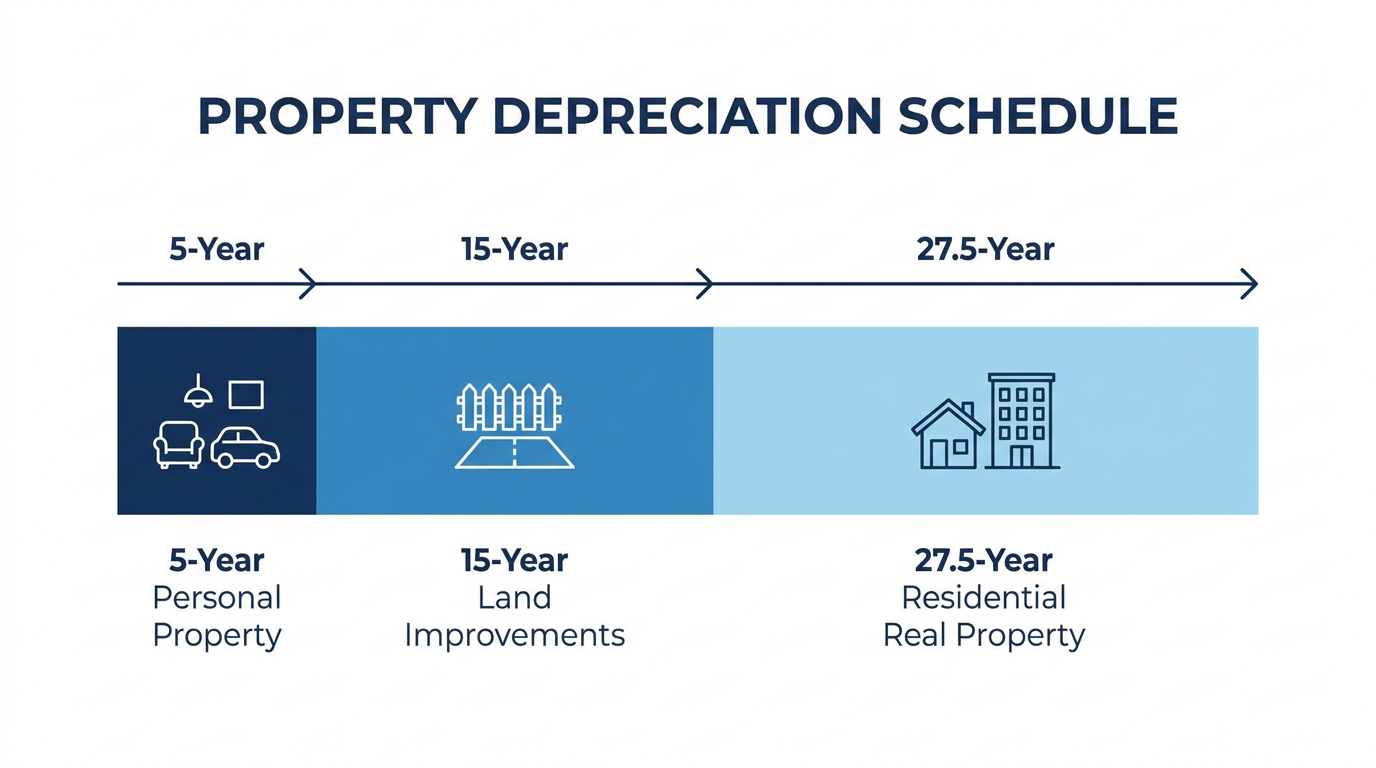
Consider cost segregation — one of the most powerful acceleration strategies available to real estate investors. By reclassifying components of a residential property from the 27.5-year schedule to the 5- or 15-year schedules, investors can dramatically accelerate their depreciation deductions and unlock significant year-one tax savings. Cost segregation analysis requires detailed, asset-level cost data for every property. It requires knowing what you paid for the flooring separately from what you paid for the roof. It requires the kind of structured, property-level financial records that a spreadsheet almost never produces reliably.
The investors who capture all of their deductions — the ones whose tax bills reflect their actual financial position rather than a slightly inflated approximation of it — are the ones who maintain clean, structured records year-round. Not just in April. A mid-year financial checkup isn’t optional for serious investors. It’s part of the strategy.
Your CPA can only work with what you give them. Give them a folder of bank statements and a spreadsheet that’s been updated approximately monthly, and they’ll do their best — but “their best” under those conditions will always leave money on the table. Give them a clean, property-level set of financials with accurate depreciation schedules and categorized expenses, and they can focus on strategy instead of cleanup.
Before we look at what better looks like, let’s check in — are you already at the breaking point?
Are You Already Past the Spreadsheet Ceiling?
Most investors who’ve outgrown their spreadsheet already know it. They just haven’t named it yet. The following checklist is meant to make that recognition concrete.
You’ve outgrown your spreadsheet if:
- ✓ You manage 3 or more properties and your spreadsheet has more than 10 tabs
- ✓ You’re not 100% confident your expense totals are accurate right now
- ✓ You’ve ever had to “rebuild” a spreadsheet after something broke or got corrupted
- ✓ Your CPA asks questions at tax time that you can’t answer without digging through old files
- ✓ You track renovation costs in a separate spreadsheet from your main property tracker
- ✓ You have more than one bank account or credit card feeding into your books
- ✓ You’ve shared your spreadsheet with someone and lost track of which version is current
- ✓ You’ve missed a deduction because an expense was miscategorized and you didn’t catch it
- ✓ You can’t tell at a glance which property is your best and worst performer right now
- ✓ Monthly reconciliation takes more than two hours — every single month
If you checked three or more of those, you’re not on the edge of the spreadsheet ceiling. You’ve already passed through it.
Understanding what a better outcome looks like can also sharpen the picture — especially when you connect it to evaluating your portfolio’s actual performance metrics with real-time clarity.
Here’s what the before and after actually looks like:
Before (Spreadsheet): Tax season arrives. You spend the first two weeks of February pulling bank statements from four accounts, re-sorting expenses that got miscategorized last June, hunting for renovation receipts from a contractor who pays slowly, and trying to remember which property that $1,200 charge actually belonged to. You hand your CPA a file that takes them hours to clean up. A couple of deductions get missed because the documentation isn’t clean enough to support them. You pay more than you should. You finish the process feeling like you lost something you can’t quite identify.
After (Purpose-Built Platform): Tax season arrives. Your books are already reconciled — automatically, every month, because the system does it in real time. Every expense is tagged to the right property. Your depreciation schedule is current and accurate. You pull a clean tax report with one click and send it to your CPA. They thank you. You discuss strategy. You move on.
The difference isn’t just efficiency. It’s the compounding financial impact of a system that works for you, not one you’re constantly working around.

Ready to see the difference side by side? Here’s what that comparison actually looks like.
Spreadsheets vs. Purpose-Built Real Estate Financial Software
This isn’t about spreadsheets being bad tools. It’s about using the right tool for the job. At one property, a spreadsheet might still be the right call. At three properties, with multiple bank accounts, an LLC, and a renovation in progress, it almost certainly isn’t.
Here’s what the comparison looks like across the capabilities that matter most:
Expense Tracking
- Spreadsheets: Manual entry, entirely error-prone, no automation.
- Purpose-Built Software: Automated, property-level categorization with every transaction classified in real time.
Bank Reconciliation
- Spreadsheets: A monthly manual process — copy, paste, cross-reference, pray nothing is duplicated.
- Purpose-Built Software: Real-time automated sync from bank feeds. Reconciliation happens continuously, not monthly.
Multi-Property View
- Spreadsheets: Separate tabs with no unified rollup. Getting a portfolio-wide view means doing the math yourself.
- Purpose-Built Software: A unified portfolio dashboard showing every property’s performance at a glance, in real time.
Renovation and Project Tracking
- Spreadsheets: A separate spreadsheet (at best), disconnected from the main books.
- Purpose-Built Software: Integrated project management with every cost flowing into the right expense and depreciation category automatically.
Depreciation Scheduling
- Spreadsheets: Manual calculation across multiple asset classes — rarely done correctly, never updated automatically.
- Purpose-Built Software: Automated depreciation schedules maintained by asset class, updated as properties and assets are added.
Tax-Ready Reporting
- Spreadsheets: Built from scratch every year, usually in February, under pressure.
- Purpose-Built Software: Generated on demand — clean reports your CPA can use immediately, any time of year.
Audit Trail
- Spreadsheets: None. There is no audit trail in a spreadsheet.
- Purpose-Built Software: Full transaction history, timestamped and categorized, defensible under IRS scrutiny.
Multi-Entity Support
- Spreadsheets: Copy-paste across files, with no native entity separation and constant version confusion.
- Purpose-Built Software: Native entity separation with a unified dashboard view across all LLCs.
Real-Time P&L by Property
- Spreadsheets: No. You get a snapshot of whenever it was last updated.
- Purpose-Built Software: Yes — property-level P&L available at any moment.
Scalability
- Spreadsheets: Breaks under complexity. Every new property adds more fragility.
- Purpose-Built Software: Designed to scale — from your first property to your fiftieth.
Error Detection
- Spreadsheets: None. Errors are silent. They live in your books unchallenged until someone catches them — or doesn’t.
- Purpose-Built Software: Automated flagging and classification logic that catches anomalies before they become problems.
Time Investment
- Spreadsheets: Five to ten or more hours per month in manual financial administration.
- Purpose-Built Software: Minutes per month, because the system handles the rest automatically.
The pattern across every row is the same: the spreadsheet asks the investor to be the system. Purpose-built software is the system.
The purpose-built platform column isn’t hypothetical. Here’s what that actually looks like in practice.
What a Purpose-Built Platform Actually Looks Like for Real Estate Investors
The goal isn’t to replace your spreadsheet with another spreadsheet. It’s to replace the job the spreadsheet was doing — and do it better, automatically, without requiring you to be a part-time bookkeeper.
Here’s what a purpose-built real estate financial platform does at the property level:
Every transaction coming in from your bank account is automatically classified and assigned to the correct property. There’s no manual data entry. No monthly categorization session. The moment a transaction clears, it’s in the right place — tagged to the right property, the right LLC, the right expense category.
Renovation projects are tracked separately from day-to-day property expenses. Every cost flowing through a rehab — contractor draws, materials, permits, inspection fees — goes into the right project ledger, and from there into the correct expense or depreciation category. Nothing bleeds into the wrong bucket. Nothing gets lost.
A depreciation schedule is maintained automatically across all properties and all asset classes. You don’t have to track the 27.5-year clock on your residential property and the 5-year clock on the appliances separately. The system does it, continuously, from the moment each asset is added.
At year end, a tax-ready report is generated — not assembled from chaos. Your CPA receives clean, organized financials and spends their time on strategy, not reconstruction.
RealBooks was built by real estate investors who ran out of patience for spreadsheets — and decided to fix it with AI.
Three AI agents power the platform:
Penny tracks every transaction, categorizes it by property and entity, and keeps your books audit-ready in real time. No more receipt piles. No more monthly data entry marathons.
Dollar Bill sets up new properties and renovation projects in seconds — and tracks every cost automatically from the first contractor invoice to the final punch-list payment.
Uncle Sam maximizes deductions, handles depreciation and cost segregation, and generates tax-ready reports year-round — not just in April.
Together, these agents have helped identify more than $2.4 million in tax savings across the platform. Not by finding exotic deductions — but by ensuring investors capture the ones they already had, correctly documented and properly classified.
If you’re managing fix-and-flip projects with complex renovation timelines, the same principles apply at every phase — and having a system that tracks the financial data through each phase makes a measurable difference at disposition.
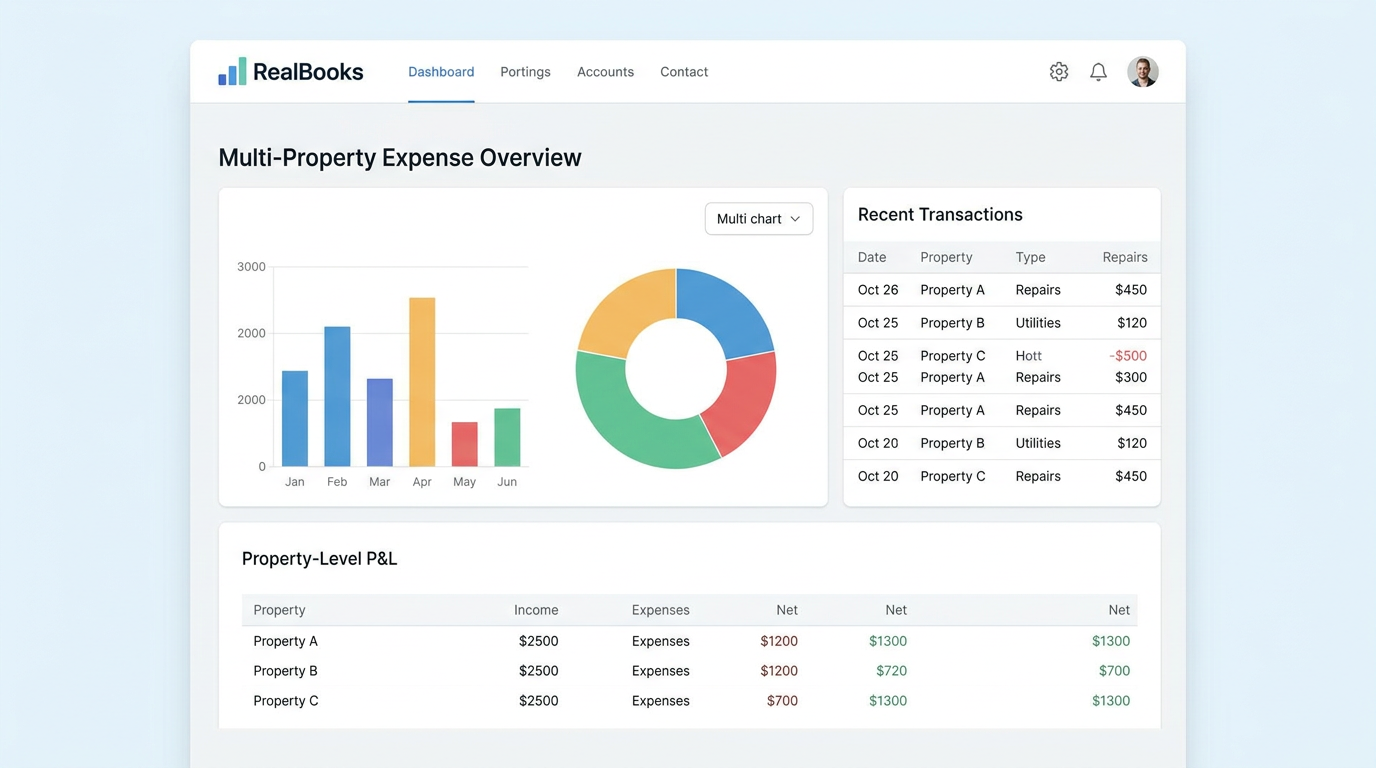
Explore the full platform at realbooks.io/products — including expense management, tax reporting, and project management tools built specifically for how real estate investors actually operate.
Still have questions? Here are the ones we hear most from investors who are right where you are.
Your Questions About Switching From Spreadsheets, Answered
Why are spreadsheets bad for managing real estate investment finances?
Spreadsheets require 100% manual data entry, have no error detection, and don’t scale across multiple properties. They create invisible errors — errors that sit in your books undetected until they become a real problem. Studies show that 88–94% of business spreadsheets contain errors, and in real estate, those errors have direct financial consequences: missed deductions, misclassified expenses, incorrect depreciation, and tax liability that’s higher than it should be. The IRS requires detailed, accurate records for every rental property — and spreadsheets make that requirement hard to meet reliably.
At what point should a real estate investor stop using spreadsheets?
The tipping point typically arrives at three or more properties, the first LLC structure, multiple bank accounts, or the first significant renovation project. If your monthly reconciliation takes more than two hours, or if your CPA has ever asked you for documents you couldn’t locate quickly, you’ve already passed the spreadsheet ceiling. For investors managing finances across multiple entities, that tipping point often arrives even earlier — because multi-entity accounting adds a layer of complexity spreadsheets simply weren’t designed to handle.
Can’t I just use QuickBooks instead of spreadsheets?
QuickBooks is a meaningful step up from spreadsheets, but it’s built for general small businesses — not real estate investors. It has no native understanding of property-level accounting, Schedule E reporting, depreciation by asset class, or renovation cost tracking. You’d have to build all of that manually — and then maintain it manually, forever. Purpose-built real estate financial software handles it automatically, from the ground up.
“QuickBooks is built for businesses. RealBooks is built for real estate investors. That’s not a small difference.”
What happens to my existing spreadsheet data if I switch platforms?
Your historical data doesn’t disappear. Most purpose-built platforms — including RealBooks — support data import or guided onboarding to migrate your existing records into a structured system. What was scattered across tabs and files becomes organized, searchable, and actually usable. The transition is a starting point, not a loss.
Is real estate accounting software worth the cost?
The right question isn’t what it costs — it’s what you’re already losing. Missed deductions, hours of manual admin every month, elevated CPA fees to clean up messy books, and compounding errors that quietly inflate your tax bill year after year. The cost of the right tool is almost always less than the cost of continuing with the wrong one. Understanding how tax law changes — like recent shifts in bonus depreciation — affect your portfolio is exactly the kind of strategic thinking your system should free you up to do. When your financial admin is running on autopilot, that’s possible.
How does AI help with real estate bookkeeping?
AI eliminates the manual layer entirely. Instead of you categorizing each transaction, the AI classifies it — by property, by expense type, by entity. Instead of you building a depreciation schedule, the AI maintains one automatically. Instead of your CPA spending hours reconstructing your records, they receive a clean tax report and can focus on strategy. The result is books that are always current, always accurate, and always ready — not just at year end, but every single day.
What is the best software to replace spreadsheets for rental property management?
The best solution is one purpose-built for real estate — one that natively understands property-level accounting, IRS real estate tax forms, depreciation schedules by asset class, and renovation project tracking. Generic accounting tools can approximate this with significant manual setup and ongoing maintenance. Platforms built specifically for real estate investors handle it automatically, from the moment the property is added to the system.

Your Numbers Should Work as Hard as Your Investments Do
The spreadsheet that built your first deal isn’t the system that scales your portfolio. That’s not a criticism — it’s just the truth. And recognizing it is the first step toward something better.
What changes when you replace the spreadsheet isn’t just efficiency. It’s clarity. It’s confidence that your numbers are right — not approximately right, not “probably right as of last Friday,” but actually right, right now. It’s walking into tax season with books that are already clean instead of a February that feels like financial archaeology.
It’s knowing which property is your best performer without doing any math. It’s sending your CPA a file they can work with instead of a file they have to fix. It’s the time back — the hours you stop spending on reconciliation and data entry and start spending on decisions, on deals, on the things that actually compound your wealth.
Tax preparation isn’t a year-end scramble — it’s an all-year practice. The investors who understand that are the ones building portfolios that don’t just grow in size, but grow in efficiency and profitability with every property they add.
Your numbers should work as hard as your investments do.
If any of this felt familiar — the monthly reconciliation headaches, the tax-season scrambles, the creeping feeling that your system isn’t keeping up with your portfolio — RealBooks was built for exactly that moment.
Visit realbooks.io to see how it works.
And if you know someone who’s still managing their portfolio on spreadsheets, this is the post worth sharing.
Ready to maximize your tax savings?
RealBooks automatically tracks expenses, manages assets, and calculates depreciation across your entire portfolio.
Start Free Trial →