Every expense tracked. Every deduction found.
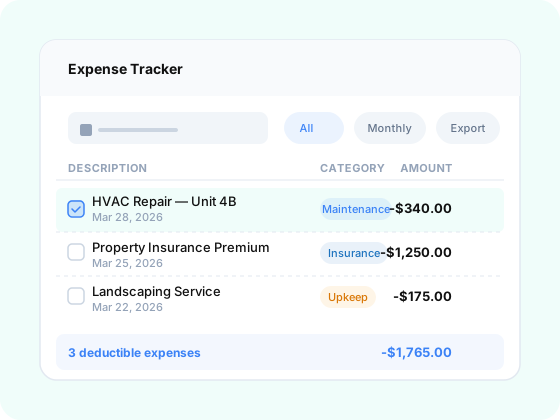
Snap a receipt from your phone, forward an invoice from your email, or let bank feeds handle it automatically. RealBooks captures expenses from every channel, then AI categorizes each one by property and project and flags every deductible item. Nothing falls through the cracks.
Want the full details? Read step-by-step guides, workflows, and tips in the docs.
Bookkeeping that runs itself
Auto-Categorization
AI reads your transaction descriptions and assigns each expense to the right property and IRS category — maintenance, insurance, utilities, and more.
Capture From Anywhere
Snap a receipt photo from the iOS or Android app, forward an invoice to receipts@realbooks.io, or let bank feeds pull it in automatically. Every receipt is matched to the right transaction, property, and project — no manual entry required.
Deductible Flagging
Every expense is assessed for deductibility and tagged accordingly. Go into tax season knowing exactly what you can write off — no surprises.
Three ways to capture.
Zero excuses to lose a receipt.
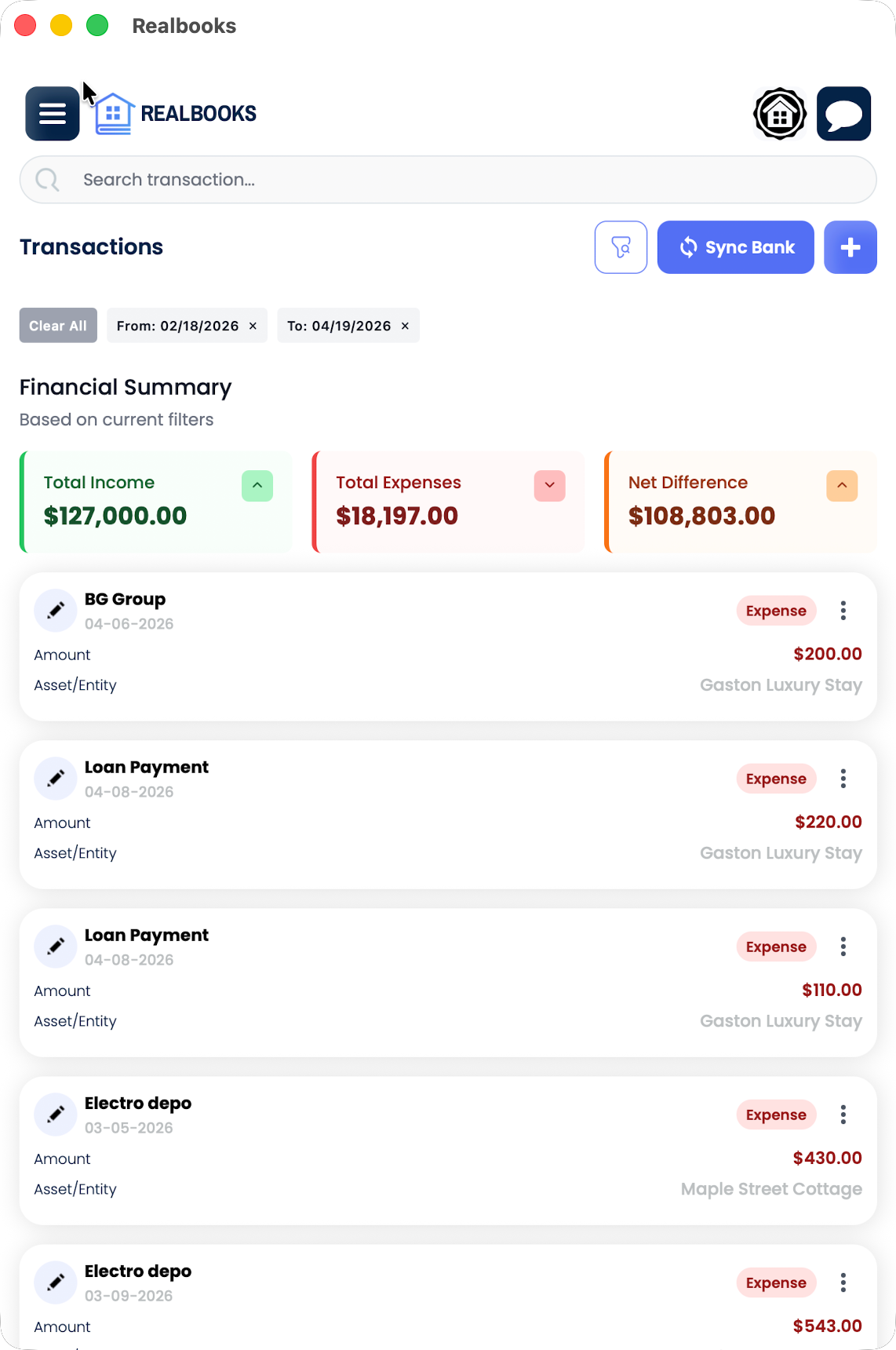
Mobile app — iOS & Android
On a job site? At a closing? Snap a photo of any receipt or invoice directly from the RealBooks mobile app. AI reads the vendor, amount, date, and line items — then auto-classifies the expense to the right property and project. The receipt image is stored permanently against the transaction for audit-ready records.
Available on the App Store and Google Play
Email forwarding
Got an invoice in your inbox? Forward it to receipts@realbooks.io and it's done. RealBooks extracts the vendor, amount, date, and line items from the email and any attachments — PDFs, images, or inline content — then auto-classifies the expense to the correct property and project.
Works with any email provider — Gmail, Outlook, Yahoo, or your property management system's automated emails
Bank & credit card sync
Connect your bank accounts and credit cards once. RealBooks pulls every transaction automatically, matches it against receipts you've already captured via mobile or email, and fills in anything missing. No CSV imports, no manual reconciliation — your expense ledger builds itself.
Bank-level encryption — your credentials are never stored on our servers
All three channels feed into the same Autonomous General Ledger. Whether a receipt arrives by phone, email, or bank feed, it gets the same AI-powered classification, the same property and project tagging, and the same audit-ready storage.
- Bank-level sync pulls transactions automatically — no manual CSV imports
- iOS and Android mobile apps for instant receipt capture — snap, classify, done
- Forward invoices and receipts to receipts@realbooks.io for automatic ingestion and classification
- AI extracts vendor, amount, date, and line items from photos, PDFs, and email attachments
- Expenses tagged to individual properties for clean Schedule E reporting
- IRS-standard categories: repairs, depreciation, insurance, management fees, and more
- Attached receipts and notes stored against every transaction
- Instant expense reports by property, category, or date range
- Every expense auto-linked to the correct asset and active project — no manual assignment
- Share read-only access with your CPA in seconds
- Flag mixed-use expenses (personal vs. business) for accurate allocation
Audit-ready records, year-round
Every feature in RealBooks is purpose-built for the way real estate investors actually work — not adapted from generic accounting software.
$18K+
avg. tax savings
per investor
3
capture channels — mobile,
email, bank sync
5 min
avg. weekly
bookkeeping time
Snap it. Forward it. Forget it.
Whether you're on a job site, at your desk, or anywhere in between — capture any receipt from your phone, forward any invoice from your email, or let your bank feed handle it automatically. RealBooks takes it from there.